
CAD/BIM Tips & Tricks
MicroStation AI: What To Expect
4 June 2026
If you’ve spent any time in the infrastructure engineering world, you know MicroStation. It’s the CAD platform behind projects like London’s Elizabeth Line, the Governor Mario M. Cuomo Bridge in New York and a long list of bridges, highways and utilities that most people rely on without ever thinking about the software behind them.
AI has entered the building and it’s not just passing through. It’s pulled up a chair and is settling in.
For forty years, MicroStation has been a kind of constant: reliable, precise and powerful, even if it occasionally eats your afternoon.
But something has shifted.
The latest versions of MicroStation aren’t just about drafting anymore. AI has entered the building and it’s not just passing through. It’s pulled up a chair and is settling in.
What “MicroStation AI” Actually Means
Let’s clear this up early, because this term gets thrown around loosely.
MicroStation AI isn’t a single feature with a flashy name. You won’t find a big glowing “AI” button in the interface. Instead, it’s a set of intelligent capabilities that Bentley Systems has been weaving into MicroStation across its 2024, 2025 and now 2026 releases.
“AI is a new paradigm shift, transforming every industry, and infrastructure is no exception.” — Nicholas Cumins, Bentley CEO
These span AI-assisted scripting, embedded copilots, expanded integration with geospatial and real-world data, and workflow automation that removes the tedious parts of the job — the parts that make experienced engineers wonder why they spent four years earning their degree.
The objective isn’t about replacing how engineers work. It’s about removing friction from the parts of the job that never really needed to be manual in the first place.
The goal, as Bentley CEO Nicholas Cumins put it at Year in Infrastructure 2024, is straightforward: “AI is a new paradigm shift, transforming every industry, and infrastructure is no exception.”
He isn’t wrong.
The Python Assistant: AI for the Non-Programmer
One of the most practical AI features in MicroStation right now is the Python Assistant, introduced as a tech preview in MicroStation 2025 and expanded significantly in MicroStation 2026.
Here’s the reality: MicroStation has supported Python scripting for a couple of years now, and it’s genuinely powerful. You can automate repetitive tasks, build custom tools and standardize workflows across projects in ways that would have required C++ wizardry in a previous era.
The catch? Most engineers aren’t Python developers. Asking a bridge designer to write code that adjusts concrete quantities across hundreds of files is a bit like asking a surgeon to design and build their own scalpel. Technically possible, maybe, but not ideal.
The Python Assistant changes this. Using natural language queries, a user can describe what they want to automate in plain English. The assistant then:
- Generates the script.
- Helps refine the script.
- Assists with debugging.
- Adds documentation.
What previously took hours of coding can now be accomplished in minutes by anyone on the team.
It may not be perfect, but it dramatically improves productivity. What previously took hours of coding can now be accomplished in minutes by anyone on the team.
For firms trying to do more with leaner teams, this is not a minor upgrade. It’s a meaningful shift.
Bentley Copilot: The Help Desk Inside MicroStation
If you’ve ever onboarded a new hire to MicroStation, you already know how it goes.
There’s always that first week where someone spends three hours trying to find a tool they used constantly in AutoCAD, only to discover that while it exists in MicroStation too, it’s under a completely different name, in a completely different menu.
Bentley Copilot is designed to cut through that, allowing users to ask questions in plain language, such as “How do I paste an Excel table?” or “What’s the equivalent of AutoCAD’s XREF manager?” And instead of users searching and digging through documentation, they immediately get a direct answer, often with step-by-step guidance.
It might not be a glowing button on your dashboard, but it’s there, quietly working in the background to make your life easier.
Bentley Copilot is already used across several Bentley products, including OpenRoads, OpenRail and ProjectWise, where it helps guide workflows and displays relevant documentation. In MicroStation, it reduces the time between “I don’t know how to do this” and the user actually doing it.
And, if we’re being honest, isn’t this where a lot of time often disappears on real projects?
Real-World Context: Where Geospatial AI Meets Design
Perhaps the most visually dramatic evolution in MicroStation AI is how the software now treats the world around your design.
Not long ago, an engineer designing a new road interchange would work largely in abstraction — lines on a gray background, coordinates on a screen. Contextual data from the real world had to be painstakingly imported, cleaned and reconciled from multiple (and often conflicting) sources. It was slow and error-prone.
MicroStation 2025 and 2026 have fundamentally changed this, enabling users to design directly within a live geographic environment. Recent updates include:
- Google Maps integration replaces the older Bing Maps background, bringing high-resolution, frequently updated aerial imagery directly into the design environment. Engineers can type in an address and immediately anchor their project to a real-world location with current road data, land parcels and landmarks.
- Google Photorealistic 3D Tiles, made possible through Bentley’s 2024 acquisition of Cesium, streams 3D models of over 350 million existing buildings and global terrain data covering more than 2,500 cities in 49 countries. This means a designer can see exactly how a proposed bridge will sit alongside existing structures before a single foundation is poured.
- Esri file geodatabase support allows direct import and export with Esri’s GIS (Geographic Information System) format. This is a genuinely big deal for infrastructure workflows that cross organizational boundaries between engineering firms and government agencies.
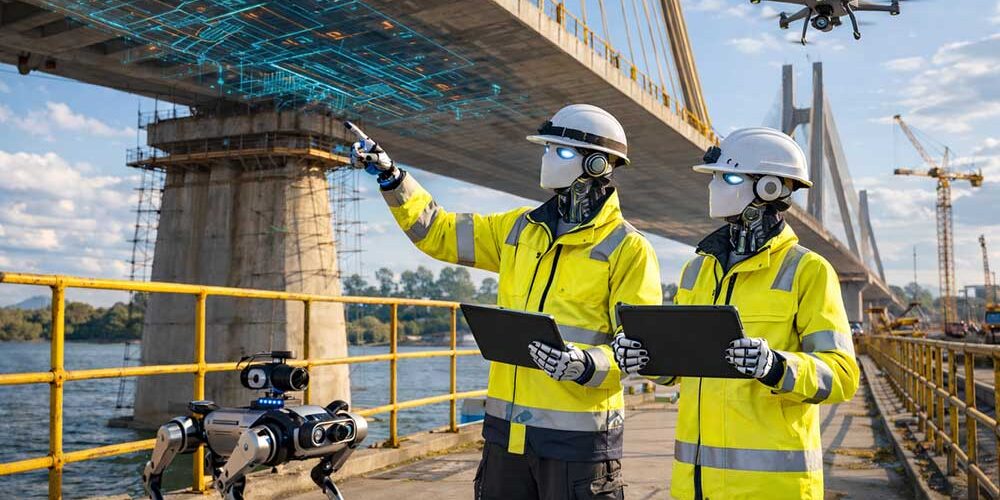
Don’t consider AI a threat to your job. Think of it as an assistant that helps smooth your workday.
Why does this matter for AI specifically? Because AI’s most powerful applications in CAD aren’t about generating geometry out of thin air. They’re about making better decisions faster, based on richer contextual data.
When MicroStation can stream real-world geospatial context alongside your design, the AI layer can automatically help you analyze environmental factors, validate site suitability and flag conflicts with existing infrastructure. This means design teams aren’t forced to manually cross-reference a dozen external datasets.
Generative AI in the Broader Bentley Ecosystem
While MicroStation is the foundation, it’s worth understanding where Bentley’s AI ambitions are heading more broadly, because MicroStation users benefit from this direction.
- OpenSite+ is Bentley’s first application to incorporate generative AI, offering a glimpse of MicroStation’s future.
-
- At Year in Infrastructure 2024, a Bentley executive used OpenSite+’s generative AI copilot to design a hotel, validate the design against geospatial context and make real-time changes, all through conversational interaction. No menus. No manual parameter entry. Just a conversation with software that understood the design intent.
- Bentley has also built AI capabilities into SYNCHRO+ for construction simulation and Substation+ for electrical infrastructure.
- Additionally, Bentley’s 2023 acquisition of Blyncsy, a company that uses machine learning to analyze roadway conditions and support transportation departments, points to where design tools are likely evolving.
It might not happen overnight, but it is happening steadily.
The Data Problem (and Why AI Can’t Fully Solve It … Yet)
It would be dishonest to write about MicroStation AI without acknowledging the challenge that even Bentley’s own CEO has called out publicly.
Nicholas Cumins has estimated that, for example, only about 10% of the data created during the design, construction and operations phases of infrastructure projects is ever actually used. The rest sits in systems that don’t talk to each other, effectively creating data silos.
It’s important to remember that yes, AI can do remarkable things, but only if the data it needs is accessible and usable.
An hour spent on Python fundamentals could compound across your entire career.
This is why Bentley has been pushing:
- Open data standards.
- Interoperability with platforms like Esri and Google.
- Open-source APIs through the iTwin ecosystem.
For MicroStation users, this translates into something practical: The better your data is organized, the more value you’ll get from AI features. It might not be exciting. Or glamorous. But it’s true.
What This Means for Working Engineers and Designers
So, as a day-to-day MicroStation user, what should you actually do with all of this information? Here are a few practical suggestions:
Learn Python basics
You don’t need to become a developer, but a basic understanding of Python will help you get more out of the Python Assistant and recognize when something needs adjusting. An hour spent on Python fundamentals could compound across your entire career.
Use the geospatial tools
If your projects involve real-world context (which they almost always do), the Google Maps and 3D Tiles integrations are worth exploring. Seeing your design in a photorealistic real-world environment catches errors that don’t always show up in abstract CAD views.
Actually use Copilot
The more you interact with it, the more useful it gets. Treat it like a tool, not a novelty, and watch it start to pay off.
Stay current
MicroStation 2026 has leaned harder into AI than any previous version and Bentley has been clear about where this is going. Keeping up with new releases matters much more now than it did a few years ago.
“There will come a day when it’ll seem quaint to solve any problem without an AI assistant.” — Keith Bentley, Co-Founder, Bentley Systems
The Bigger Picture
MicroStation has been around long enough to have survived the transition from drafting tables to workstations, from 2D to 3D, from local files to cloud-connected digital twins. Each shift seemed radical at the time. Now, AI is shaping up to be the next big step.
AI is not a dramatic replacement for engineering expertise, but it adds a layer that reduces friction, speeds up workflows and helps teams make better use of the information they already have.
As Keith Bentley, the software’s original architect, put it: “There will come a day when it’ll seem quaint to solve any problem without an AI assistant.”
Final Thoughts

Imagine having a built-in help desk within MicroStation. That’s literally what AI brings to the table.
MicroStation AI isn’t about handing over control to an AI algorithm. It’s about:
- Making tools easier to use.
- Reducing repetitive work.
- Helping teams move faster without sacrificing accuracy or precision.
The engineers who engage with it early won’t just be more productive. They’ll be building the kind of institutional knowledge that makes them genuinely hard to replace, which, in a world increasingly worried about automation, is exactly where you want to be.
AI might not always be flashy, but it sure as heck is useful. And in design, that’s usually what matters more.
Note: All product features referenced in this article are drawn from official Bentley Systems documentation, Bentley blog posts, and verified third-party reporting as of April 2026.
