
CAD/BIM Tips & Tricks
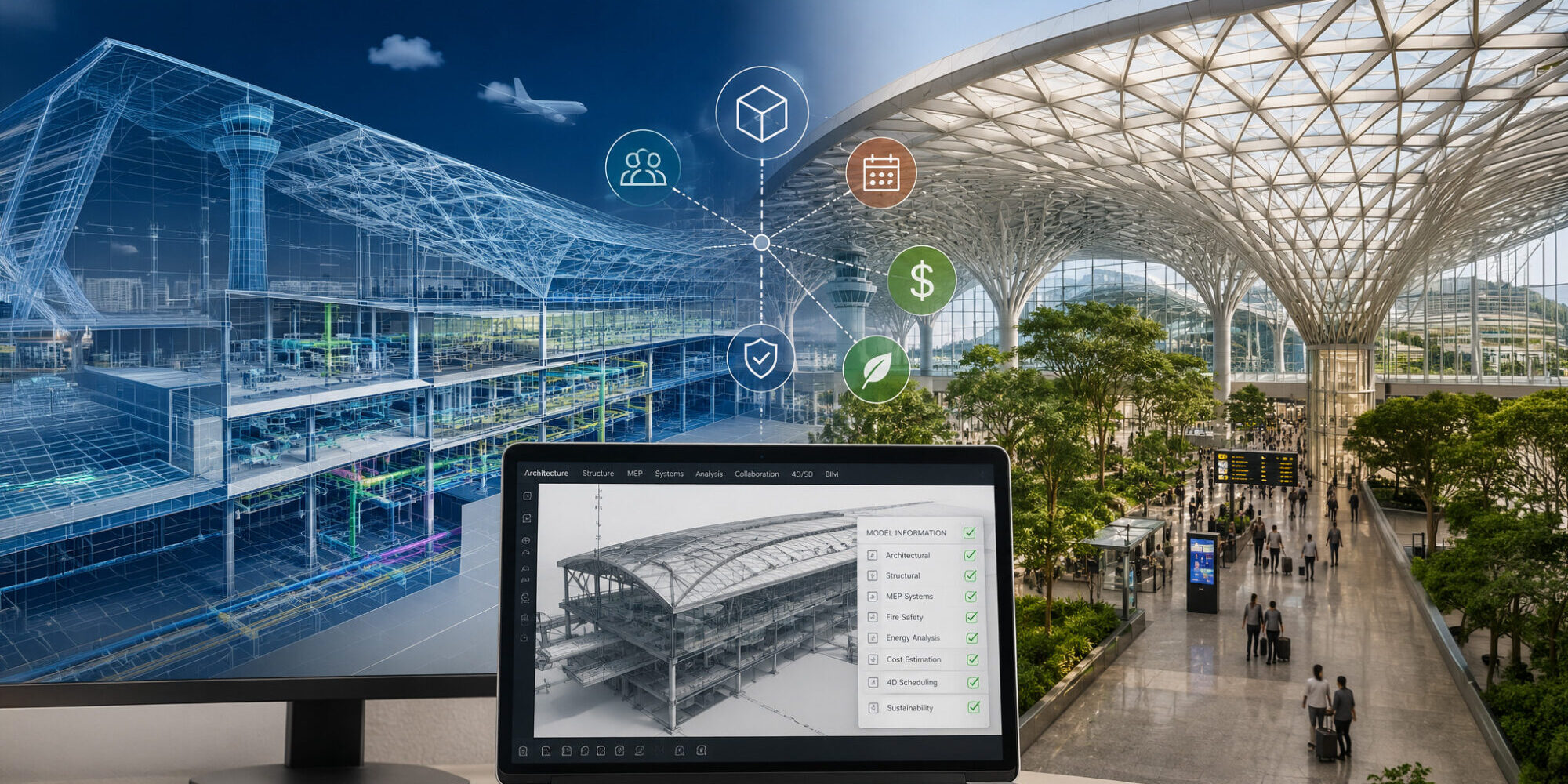
How the World’s Smartest Airports Are Being Designed Entirely in BIM
15 June 2026
Think about the last time you flew. The coffee line. The gate change. The sprint across a terminal you’ve never been in before. The hunt for a charging station. The escalator that somehow decides whether you make your connection.
Now imagine being the team responsible for designing all of it.
Every column. Every duct. Every blast-resistant wall. Every baggage conveyor. Every power circuit. Every security checkpoint. Every passenger route that needs to make sense to someone tired, late and dragging a suitcase with one wonky wheel.
Airports are among the most complex buildings that humans design. Technically, they’re closer to small cities built around nonstop aircraft movement. They move passengers, bags, aircraft, fuel trucks, catering vehicles, retail inventory, security teams and billions of hopeful travelers, all inside a huge footprint that can span several city blocks. And construction alone can cost billions upon billions of dollars.
If you’re familiar with BIM, but less familiar with the concept of BIM-first, this article will help explain it.
For decades, the industry managed that complexity with 2D drawings, coordination meetings and expensive surprises during construction.
That era isn’t 100% gone just yet, but it’s going. And one day soon, it’ll likely be gone for good. If you want a slice of this lucrative industry, you may want to turbocharge your BIM tools. (More on this later.)
The world’s most ambitious airport projects are now being designed, coordinated and operated predominantly using Building Information Modeling (BIM) from the earliest concept stage through construction and into long-term facilities management. Not as a technology experiment, but as the central nervous system of the entire project. If you’re familiar with BIM, but less familiar with the concept of BIM-first, this article will help explain it.
Why Airports Are the Ultimate BIM Stress Test
Airports do roughly forty-seven gazillion things all at once, and none of them can interfere with each other.
Most buildings have one primary purpose. Hospitals treat people. Warehouses store inventory. Office buildings house workers.
Airports do roughly forty-seven gazillion things all at once, and none of them can interfere with each other.
Passenger flow has to work. Baggage systems have to run. Aircraft gates have to function. Security zones have to remain secure. Retail spaces need servicing. Mechanical systems need access. Emergency routes must stay clear.
Nearly every system depends on another system working properly.
The disciplines involved in a major terminal can number in the dozens: structural, civil, mechanical, electrical, plumbing, fire safety, baggage handling, passenger boarding bridges, airfield lighting, customs systems, IT infrastructure, vertical transport, façade engineering, acoustics and more.
Before BIM matured enough to handle projects of this scale, coordination relied on disconnected drawing sets, weekly meetings and construction managers discovering conflicts in the field instead of on-screen.
That approach was expensive. A clash between a structural beam and a ductwork run is simple to fix during design review. The same clash discovered after the steel is already in place is a very different problem.
It’s a whole lot cheaper than holding an emergency meeting while three contractors argue over whose pipe gets to stay and whose has to move.
At airport scale, those kinds of problems multiply quickly. BIM, however, allows project teams to detect, assign and resolve conflicts virtually before crews arrive on site. That’s a whole lot cheaper than holding an emergency meeting while three contractors argue over whose pipe gets to stay and whose has to move.
The Airports That Changed the Conversation
Over the past decade, several major airport projects have become case studies in full-lifecycle BIM at aviation scale. Heathrow Terminal 2 in London, LaGuardia Terminal B in New York and Istanbul Airport all relied heavily on BIM to coordinate design, construction and delivery.
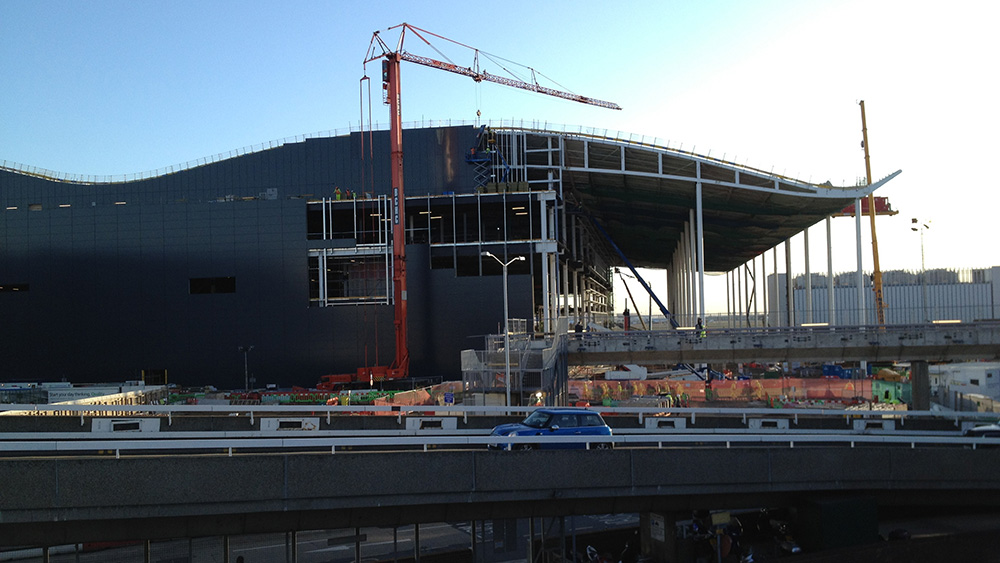
The $4 billion construction project at Heathrow’s Terminal 2, London.
Istanbul Airport is especially useful as a benchmark because of its size. Designed to eventually handle up to 200 million passengers per year, it wasn’t simply a terminal project. It was, essentially, a city-scale infrastructure program … with runways attached.
Hundreds of contractors and consultants worked from federated BIM models, supported by a Common Data Environment (CDE) that kept information organized enough for teams to constantly move in the same direction.

The light-filled $4 billion rebuild of Terminal B at LaGuardia Airport, New York.
What made these projects different was not just the software. It was the mandate.
Owners and program managers required BIM compliance contractually. Every discipline had to deliver models that met agreed standards, could be federated, and could be checked against one another. When that requirement has teeth, outcomes change.
What “Designed Entirely in BIM” Actually Means
The phrase gets used loosely. Some firms say they work in BIM when they really mean they produce 3D models for visualization while still coordinating through 2D drawings. That’s like saying you use GPS because you glance at your phone before ignoring it and making the wrong turn anyway.
True BIM-first airport design means the model is the project.
Design decisions are made in the model and pushed outward into drawings, schedules, specifications and quantities. Clash detection happens continuously, not once before construction documents are issued. Quantities are extracted from the model instead of being manually calculated. Energy analysis, daylighting studies and structural calculations can reference model geometry directly.
As the project evolves, drawings, schedules, quantities and analyses can update together because they all draw from the same source of truth.
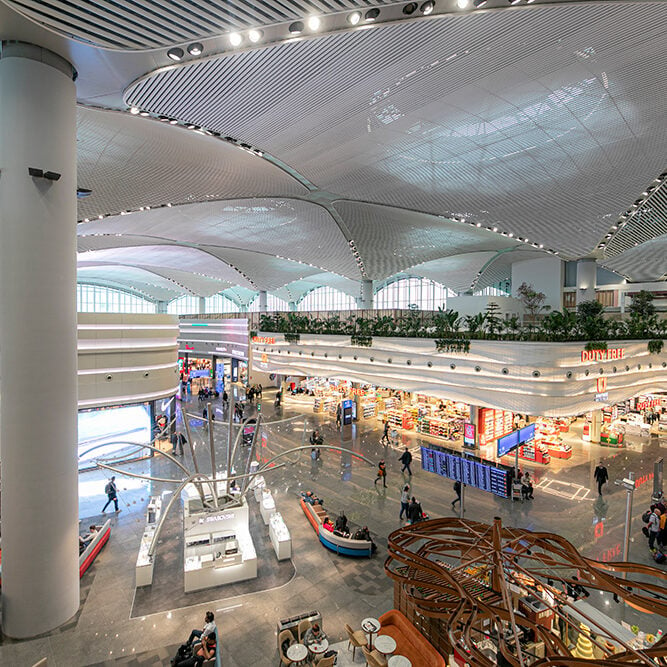
The interior of Istanbul’s $11.9 billion Havalimanı Airport.
In an airport, that source of truth may include structure, HVAC, plumbing, fire suppression, electrical infrastructure, passenger circulation, baggage handling, security systems, lighting, acoustics, escalators and elevators.
That kind of coordination isn’t just a “nice-to-have.” It’s what literally makes the building possible.
Baggage handling alone shows why. Conveyor systems snake through terminal structures with strict clearance requirements, maintenance needs, access zones and fire compartmentation rules. Their routes must be coordinated against structure, mechanical systems, architecture and security constraints all at once.
Doing that in 2D is an exercise in optimism. Doing it in a federated BIM environment is still difficult, but at least teams can see what they are dealing with before it becomes a field issue.
From BIM Model to Digital Twin
The real value of airport BIM does not end at handover. For airport operators, an accurate BIM model can become one of the most valuable assets they own.
Airports are constantly changing. Airlines move gates. Retail spaces are renovated. Security checkpoints are reconfigured. Mechanical systems are upgraded. New technology is installed. Regulations change.

The Jewel at Changi Airport cost $1.3 billion to build. The full airport project is estimated to exceed $10 billion.
Every time that happens, someone needs reliable information about what is behind a wall, where a conduit runs, what the floor loading allows or how a system connects to the rest of the terminal.
Traditionally, that information lived in paper archives, outdated CAD files and institutional memory. Sometimes it was accurate. Sometimes it wasn’t. Sometimes it was simply gone.
A reliable BIM model changes that.
Facilities teams can pull up a section through a terminal, understand what is actually there and plan modifications without exploratory demolition. When connected to live operational data, the model can become a digital twin: a living representation of the airport that reflects temperature, occupancy, equipment status, energy use and system performance.
Singapore’s Changi Airport has been a leader in this direction, using digital modeling and operational data to support one of the world’s most complex airport environments.
The Jewel Changi development shows why this matters. A rainforest and waterfall inside a glass dome connected to an airport terminal is not exactly a low-maintenance building. The coordination challenge did not end when construction finished. The model became part of how a highly complex environment could keep operating reliably.
The Coordination Story Nobody Forgets
Ask someone who has worked on a major airport BIM project what coordination was really like, and the answer usually carries a hint of trauma. Not because BIM failed, but because the scale of the problem is genuinely humbling … even when the tools work.
A weekly coordination meeting on a terminal project might involve reviewing thousands of clashes flagged by detection software. Not all of them are real. Some are false positives. But enough of them are real that resolving them becomes a full-time job.
Teams have to determine whether each clash matters, assign responsibility, track the fix and confirm that solving one issue hasn’t created another one somewhere else. Talk about a domino effect.
This is where the BIM Execution Plan (BEP) matters. The BEP defines model ownership, Level of Development requirements, naming conventions, federation schedules, clash detection tolerances and escalation processes.
On a well-run airport project, the BEP is the governing document. On a poorly run project, it’s something everyone signs, but nobody reads. The difference shows up quickly.
What This Means for Aviation Projects
For firms working in aviation, BIM capability is no longer optional.
Major airport authorities have seen enough pretty renders attached to poorly managed model sets. They increasingly specify BIM requirements in procurement documents. The practical implication is simple: saying you “do BIM” is not enough.
Airport clients want evidence of mature BIM delivery. They want information management processes, model auditing, CDE competency and teams that understand how to coordinate complex federated models without creating chaos.
For teams working in Revit, MicroStation, AutoCAD or related tools, day-to-day workflow efficiency matters enormously. On a small project, a clunky manual process may be annoying. On a multi-year airport project with thousands of model elements and dozens of discipline packages, it becomes downright expensive.
The difference between an optimized team and an unoptimized one is measured in hours … every single week. Over the life of a terminal project, those hours amount to a serious number.
The Bigger Picture
Airports may, in fact, be the perfect argument for BIM.
They’re too complex for traditional coordination to work reliably. They’re too expensive for the waste caused by field conflicts. They’re too important to get wrong, because when an airport project fails, it tends to fail publicly and embarrassingly.
BIM adoption in aviation has been driven partly by technology enthusiasm, but also by hard-earned life-lessons and memory. The industry now knows what happens when complexity outruns coordination.
The best airport projects being delivered today are more coordinated, more efficiently built and better documented for long-term operation than ever before. The model that begins as a design can become the living record of a building that will move hundreds of millions of people over decades.
It’s a bit like installing a turbocharger to get you through the repetitive stuff and the heavy lifting.
It’s big business and, if you need to, learning some new software won’t hurt if you want to join in.
Working on Complex BIM Projects?
Axiom helps teams working on high-stakes BIM (and CAD) projects to move faster inside the platforms they already use. It’s a bit like installing a turbocharger to get you through the repetitive stuff and the heavy lifting.
Our Revit, MicroStation, AutoCAD and BricsCAD software is built for teams that don’t have time to waste on formatting issues, broken references or manual workarounds.
Are you cleared for takeoff? Chat with us online or call 727-442-7774 to see what we can take off your plate. Wheels up!
