

CAD/BIM Tips & Tricks
6 AEC Industry Challenges: Who Is Your Client, Really?
3 November 2025
Working in the AEC (architecture, engineering and construction) industry, you probably think “the client” is the person signing your contract. But here in the 2020's, that's increasingly no longer the whole story (far from it).
“Who is your client, really?” may seem like an odd question. And a year or two ago, it may have been. But there’s so much push and pull these days, so much influence, demand and direction within the AEC industry, it’s enough to make your head spin. And you’d be forgiven for not even knowing who the client is anymore.
Between increasingly tight insurance requirements, heat rules, carbon considerations and style politics, even the project owner may be confused as to who, exactly, is working for whom. Outside forces — such as insurers, safety regulators, carbon procurement and cultural policy — are quietly writing requirements that can outweigh an owner’s preferences and, in some cases, even local code.
Outside forces are quietly writing requirements that can outweigh an owner’s preferences and, in some cases, even local code.
Translation: The most important stakeholder on your project might not be who you think it is at all.
Let’s take a look at the top six culprits and what you can do about these issues that the AEC industry is facing.
1) Insurers Are Designers? Huh?
With insurance carriers pulling back in wildfire and coastal zones, insurability is becoming a precondition for financing.
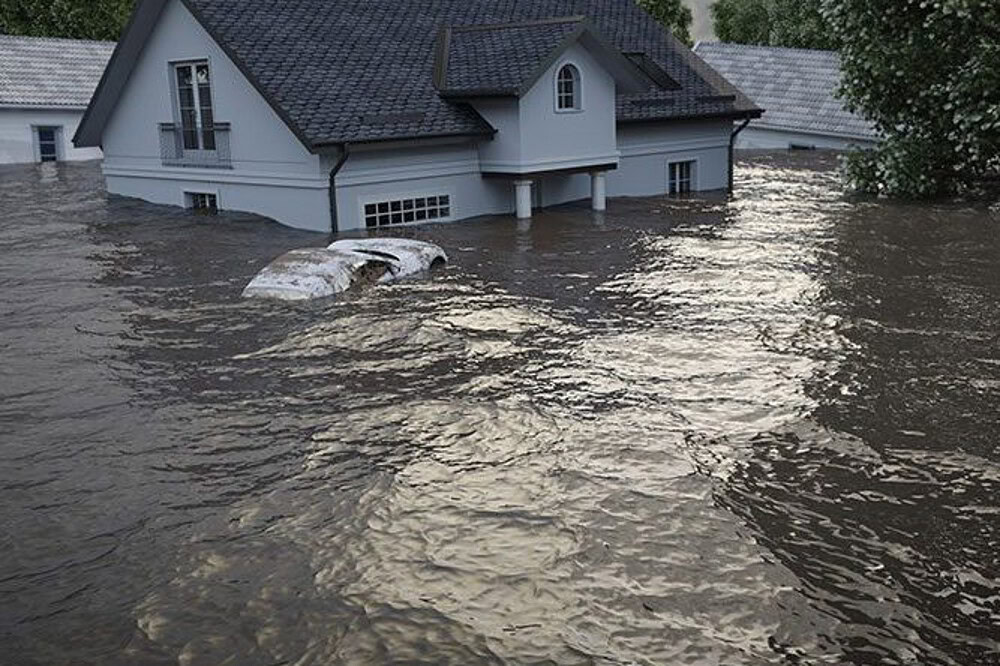
Programs like the IBHS (Insurance Institute for Business & Home Safety) FORTIFIED standard (to strengthen homes and buildings against severe weather events like hurricanes, high winds, hail and earthquakes) aren’t just bragging rights or impressive badges to display anymore. They correlate with fewer losses — which insurers notice.
Roof assemblies, window and door ratings, anchorage and even defensible space (a landscape buffer zone designed to slow or stop the spread of a wildfire) can shift from “nice to have” to “must have” to keep premiums affordable or to avoid getting pushed into expensive “surplus lines.”
What’s a surplus line? In construction, a surplus line is specialized coverage for high-risk projects that standard insurance carriers won’t cover, such as a unique builder’s risk policy for a complex construction project, a property in a natural disaster zone or a project with unique liability exposures. And it’s expensive.
In some markets, the underwriter’s checklist can matter as much as the AHJ (Authority Having Jurisdiction), such as the local building department, fire marshals or federal agencies such as OSHA. If the project doesn’t meet all the requirements for both the insurer and the AHJ, your design, as great as it may be, will struggle to come to fruition.
Friendly takeaway: Invite an insurance perspective early, treating it like a design constraint you need to accommodate, not a late surprise.
2) Is Heat Safety the Next Schedule Risk?
OSHA (Occupational Safety and Health Administration) has been moving toward a national Heat Injury and Illness Prevention standard. Many general contractors aren’t waiting — they’re piloting acclimatization plans, hydration protocols, monitoring and stop-work thresholds to reduce incidents and delays.
Even before a final rule lands, owners will start asking: “What’s your heat plan?”—especially for hot climates, interiors with heat-generating processes, or tight summer schedules.
Even before a final rule lands, owners will start asking: “What’s your heat plan?”— especially for hot climates, interiors with heat-generating processes, or tight summer schedules.
Friendly takeaway: If applicable, build heat protocols into your plans from the start. It’s cheaper to plan shade, breaks and monitoring than to be forced to halt progress and reschedule construction phases mid-project.
3) The Carbon Police Join the Party
Federal “Buy Clean” policies tied to the Inflation Reduction Act now have teeth. Expect unusual requirements and documentation for materials like concrete, steel, glass and asphalt, based on Environmental Product Declarations (EPDs) and Global Warming Potential (GWP).
From the American Concrete Institute, there’s ACI 323 to deal with — a code that provides a framework for achieving low-carbon concrete by establishing standardized methods to limit the above-mentioned GWP of concrete materials, using EPDs to benchmark and set carbon budget targets for projects.
It’s a lot to take in, but this demand for low-carbon concrete is impacting how mixes are specified and evaluated.
Here’s the twist: The cheapest mix may not be the winning mix — once you factor in carbon limits, finish requirements, curing, thermal performance and availability. Teams that pre-qualify low-carbon suppliers early will help minimize risk on schedules and submittals.
Friendly takeaway: Treat EPDs and GWP limits like structural criteria. If you don’t model them up front, carbon requirements can end up “redlining” your design later.
4) Style Politics vs. Performance Reality
The much-debated federal preference for classical or traditional styles for public buildings is impacting design viability. Supporters claim it’s democratic and dignified. Skeptics worry that it handcuffs innovation at the very moment when building envelopes, daylighting and carbon counts matter more than ever. It’s the old argument of tradition versus innovation.
When you combine traditional design with modern requirements, what happens to the price tag?
So, the question becomes: When you combine traditional design with modern requirements such as energy targets and carbon budgets, what happens to the price tag? It’s often unrealistic to expect a “traditional” bottom line, pricewise.
Friendly takeaway: Be ready to show how “traditional” facades can still meet performance targets — or document where tradeoffs are unavoidable.
5) Your Data Needs To Travel Well
IFC 4.3 (Industry Foundation Classes, version 4.3) is now an ISO (International Organization for Standardization) standard for infrastructure. That gives owners the ability to demand open, lifecycle-durable data across road, rail, bridge and port projects. It’s not just a BIM project checkbox. It’s a deliverable that impacts handover and operations.
Friendly takeaway: Budget for model validation and schema checks, not just “export to IFC.” Dead-end models are getting harder to sell. Lifecycle for the win.
6) The AI Connection: From Chat to Checks
After the early frenzy, firms are getting practical. Instead of only chasing LLMs (large language models) for text, they’re leaning into CV (computer vision) and multimodal tools that catch plan errors, flag code issues and speed reviews — the kind of outcomes that reduce RFIs (requests for information) and permit cycles. That gives you a tangible ROI (return on investment), which makes a project easier to insure and easier to explain.
Friendly takeaway: Test-drive tools that eliminate rework in a quantifiable way. Keep the ambitiously innovative ideas in research and development until you’ve banked a few measurable wins.
The Uncomfortable (but Freeing) Conclusion
Non-design institutions (insurers, regulators, federal buyers and even mandated design policy) now shape design outcomes as decisively as the owner’s brief. Even if you don’t engage them early, you’ll still end up designing for them — it’ll just be later, under time pressure and with change orders. Double work.
When insurance, safety, carbon, data and style are addressed up front, the rest of the work starts to feel like architecture again.
A Friendly 90-Day Punch List
- Include an “insurability” aspect to your design. In high-risk geographies, design for IBHS FORTIFIED-style measures and ask a broker what is most likely to get you the thumbs-up you need.
- Make heat readiness a bid item. Ask bidders for a draft heat plan (monitoring, acclimatization, thresholds) and include it along with their price and schedule.
- Include carbon considerations from the get-go. Set embodied-carbon targets with EPD and GWP guardrails. Pre-qualify low-carbon suppliers so submittals don’t become a frantic last-minute data-gathering mission.
- Treat IFC 4.3 formatting as a requirement, not a favor. Validate your BIM data accordingly during the design phase. Don’t wait for handover to find out your model can’t travel.
- Pick an AI that pays rent. Prioritize tools that cut RFIs or review time by a measurable percentage. Document the impact to justify fees on the next job.

The paradox of 2025? It may sound counterintuitive, but giving more consideration to these “invisible clients” can actually create more time and freedom for design. How? Because when insurance, safety, carbon, data and style are addressed up front, the rest of the work starts to feel like architecture again. And that’s the comfort zone where you can relax and breathe, knowing that the i’s are dotted and the t’s are crossed. Well done, you!
