CAD/BIM Tips & Tricks
AEC Gold: Hyperscale Data Center Construction
12 January 2026
For too long, the humble data center has been the much-overlooked little beige box tucked away in an industrial park, unobtrusively humming along while the rest of the world oohs and aahs at sleek new skyscrapers and crazy-wonderful achievements in bridge design. No more.
Today, the data center, particularly its “hyperscale” brethren, has roared into the spotlight, not just as a critical piece of global infrastructure, but as the absolute undisputed heavyweight champion of AEC investment.
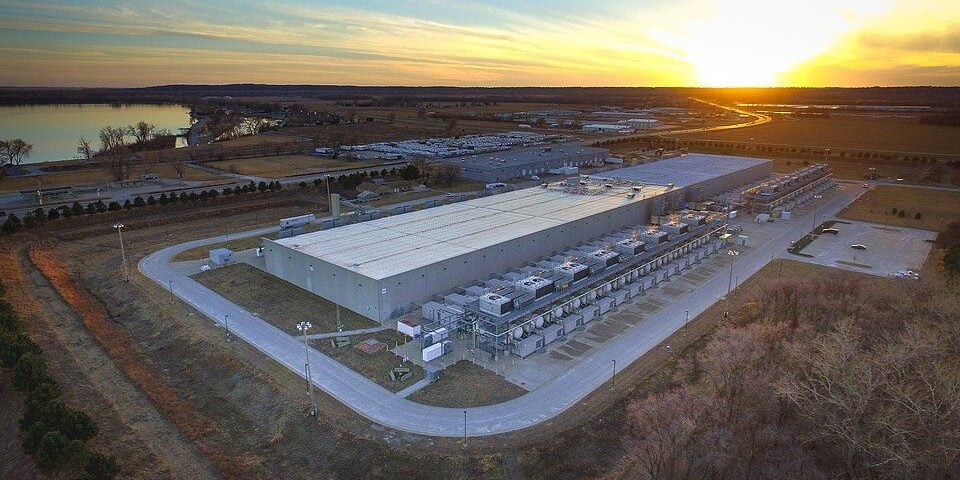
What is “hyperscale” all about? Well, we’re talking about projects worth hundreds of millions to billions of dollars. We’re talking about planning for sites that range anywhere from 50 to 200+ acres. We’re talking about individual buildings that run between 100,000 and 300,000 square feet. This is big. It’s AEC and MEP projects on a mega scale. And it’s not some theoretical idea or a dream —it’s real and it’s happening right now.
While these figures are impressive and clearly indicate a boom, understanding the individual project scale is essential for AEC contenders.
Architects, engineers, MEP specialists and designers, fasten your seatbelts and strike while the iron is hot! The AI revolution isn’t just changing what we compute. It’s fundamentally reshaping how and where we build. And for the AEC industry, it’s a gold rush, albeit one powered more by watts than prospector dreams.
The Boom Budget
What’s this gold rush worth? If we exclude the $500 billion US-based Stargate Project, globally, we’re looking at an estimated figure of around $280 billion in construction value (the building shell, MEP, site work, power infrastructure) of all data centers globally, with hyperscale representing the fastest-growing segment. The US, alone, accounts for about $90–$100 billion of that. While these figures are impressive and clearly indicate a boom, understanding the individual project scale is essential for AEC contenders.
We’re talking about campuses that stretch across hundreds of acres, housing multiple football-field-sized buildings, each consuming enough electricity to power a medium-sized town.
- Average Project Cost: Hyperscale campuses generally contain more than just the data center buildings — they include things such as substations, backup power systems, renewable energy sources, cooling facilities, offices, security departments, shipping and staff amenities, to name but a few — and typically range from $500 million to $2 billion for the construction components alone. That’s just the site and the buildings — not the high-tech computing equipment they will house.
- Mega-Campuses: The largest, multi-phased projects — like the new AI-focused campuses in Texas and Arizona — have announced total committed investments that can exceed $20 billion over the next few years, with key phases completing in or around 2026.
- Cost Per Megawatt: Construction costs are often measured per megawatt (MW) of IT load capacity. While legacy facilities came in at around $7–12 million per MW, the AI-ready, liquid-cooled facilities are pushing to $15 million per MW and potentially exceeding $20 million per MW due to the specialized power and cooling infrastructure.
From Server Closet to Small City: The Scale Shock
Let’s talk scale. When we say “hyperscale,” we don’t mean a slightly larger server room with extra snacks. We’re talking about campuses that stretch across hundreds of acres, housing multiple football-field-sized buildings, each consuming enough electricity to power a medium-sized town.
A single hyperscale data center can easily gobble 100–200 megawatts and we’re talking multiple buildings in a single location. For context, the entire city of San Francisco consumes an average of around 800 MW on a typical day.
These hyperscale data centers aren’t just buildings. They’re essentially power plants with really good air conditioning (or, more accurately, liquid cooling).
This mind-boggling scale brings unprecedented financial investment from which AEC can profit. We’re not talking about $50 million office blocks anymore. Smaller hyperscale data center projects regularly start at least ten times that.

This tidal wave of capital means aggressive schedules, demanding specifications and a constant push for innovation in design and construction. If you’re an AEC firm looking for stable, high-value work, the data center market isn’t just “a” market — it’s the market.
The Construction Conundrum: Speed, Power and Precision
Building these digital fortresses is a finely choreographed ballet of brute force and intricate precision. The primary drivers? Speed to market and power delivery.
- Race Against the AI Clock: Every day a data center isn’t operational means millions in lost revenue for the tech giants. This translates into construction schedules that make traditional projects look like leisurely sunset strolls.
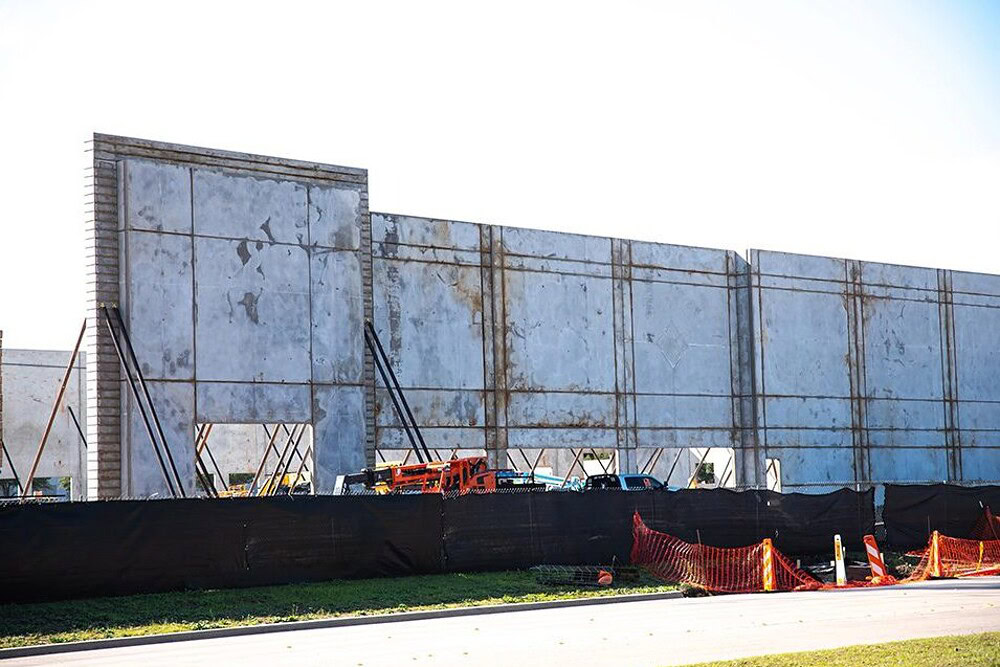
We’re talking 12–18-month build times for multi-building campuses, often achieved through phased deliveries. This relentless pace demands extreme efficiency, meticulous planning and a workforce that thrives under pressure.
Forget “measure twice, cut once.” It’s a case of measure once, prefabricate everything possible and — with high-octane energy drinks replacing blood in the veins — frantically assemble it all like a giant LEGO set.
- Power Grid Games: The biggest bottleneck isn’t usually land or even labor. It’s power availability. Utility companies are struggling to keep up with the insatiable demand. It’s not uncommon for a property developer to find a suitable site, only to discover the local grid needs a multi-year, multi-million-dollar upgrade to deliver the necessary juice. Dammit.
This has turned power infrastructure into a critical project consideration from day one. AEC firms specializing in substations, high-voltage transmission and even on-site power generation (think microgrids, massive battery storage or even the tantalizing prospect of Small Modular Reactors or SMRs) are now the rockstars of the industry.
- MEP’s Moment in the Sun (and Shade): While architects and engineers create the shell, MEP engineers are designing the heart, lungs and nervous system of a hyperscale facility. And let’s be frank, it’s rarely your typical HVAC system anymore.
With hordes of AI chips generating heat equivalent to miniature suns, traditional computer-room air conditioner (CRAC) units are like bringing a squirt gun to a raging forest fire. Liquid cooling (direct-to-chip, immersion) is becoming standard. This means MEP engineers are delving into specialized fluid dynamics, industrial-grade pumping systems and heat rejection strategies that would make a nuclear power plant engineer nod in approval.
Designing these systems requires unparalleled precision and energy efficiency. It’s MEP’s time to shine, quite literally, with the heat they’re managing.
If ever there was a project type that demanded BIM, it’s these hyperscale data centers.
The Software Superheroes: Tools for the Gigascale Task
You can’t build these Goliaths with clipboards and slide rules. The required complexity and speed demand cutting-edge software.
- BIM (Building Information Modeling) — The Unifying Force: If ever there was a project type that demanded BIM, it’s these hyperscale data centers. From concept to commissioning, BIM platforms such as Revit and Bentley Systems’ OpenBuildings Designer are indispensable for a variety of reasons.
- Clash Detection: Prevents a million-dollar error before it leaves the digital realm. “Oops, that pipe goes straight through that structural beam!” is less funny when it’s real.
- 4D Scheduling: Linking the 3D model to the project schedule, visualizing construction sequences and identifying potential delays.
- Quantification: Accurate material take-offs, crucial for managing the immense supply chains and costs.
- Collaboration: A single source of truth for globally distributed teams (owner, architect, structural, MEP, civil, controls, commissioning agents).
The next time you ask ChatGPT a question or stream a movie, remember the silent, humming giants that make it all possible.
- Digital Twins — Beyond the Handover: The BIM model doesn’t just stop at handover. It commonly evolves into a Digital Twin, a virtual replica of the physical facility, powered by real-time operational data. Software and specialized data center infrastructure management (DCIM) tools allow owners to monitor energy consumption, cooling efficiency and environmental conditions, while also predicting maintenance needs.
For AEC firms, this means designing not just for construction, but for long-term operational visibility and optimization. It’s about building a living, breathing model, not just a static blueprint.
- Computational Design and Generative AI: With speed and optimization paramount, architects and engineers are increasingly leveraging computational design tools to rapidly rework designs, optimize layouts for power distribution and cooling, and even perform structural analysis. Emerging generative AI offers the promise of autonomously exploring thousands of design permutations to find the most efficient, cost-effective and resilient solutions for these highly standardized yet complex structures.
The Future is Digital (and Power-Hungry)
The hyperscale data center phenomenon is more than just a boom. It’s a recalibration of the AEC industry’s priorities. It demands unprecedented levels of collaboration, technological adoption and a deep understanding of infrastructure beyond the building envelope.
For architects, it’s about designing secure, resilient and surprisingly aesthetic (yes, even data centers are getting makeovers) shells that house immense power. For engineers (structural, civil, electrical, mechanical), it’s a relentless puzzle of optimization and pushing the boundaries of what’s possible in power delivery and thermal management. For designers, it’s about making sense of the digital chaos and creating spaces that are both functional and future-proof.
So, the next time you ask ChatGPT a question or stream a movie, remember the silent, humming giants that make it all possible. And to the architects, engineers and designers who are building the very infrastructure of our digital future, one petabyte and one megawatt at a time, we applaud you. It’s a job that’s anything but boring and, if you’re in AEC, it’s where the power — and the profits — are truly flowing.
Go for gold!