
CAD/BIM Tips & Tricks
JFK’s New Terminal 6: Structural and Systems Engineering Insights
5 January 2026
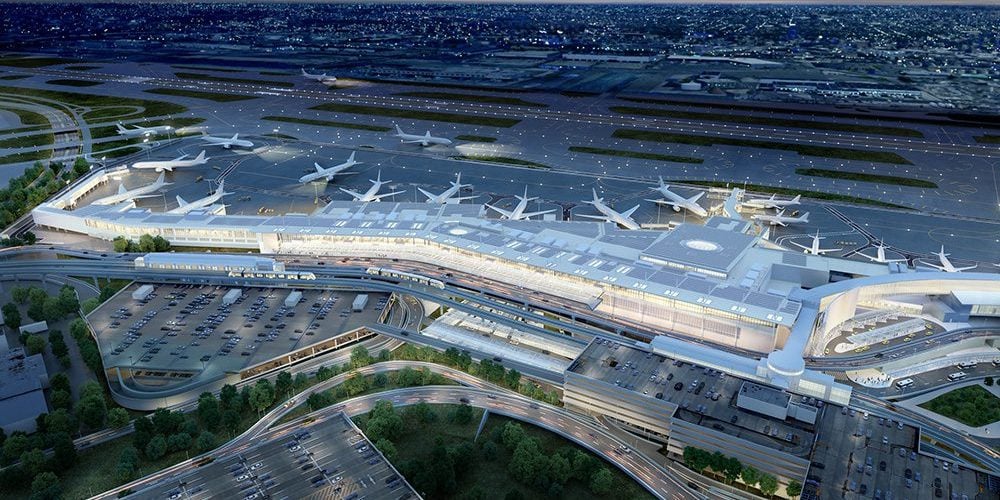
The ongoing transformation of John F. Kennedy International Airport into a true 21st-century global gateway is being driven by a series of multi-billion-dollar Public-Private Partnerships. Among the most ambitious of these efforts is the new JFK Terminal 6 (T6) — a $4.2 billion, 1.2-million-square-foot redevelopment anchoring the airport’s north side. Scheduled for a phased opening beginning in 2026, with full completion in 2028, T6 is designed to redefine both passenger experience and infrastructure performance.
For architects, engineers and construction managers, Terminal 6 is more than a new building — it’s a case study in integrated design, systems coordination and accelerated delivery. Delivered through a Design-Build partnership led by AECOM Hunt as construction manager and Corgan as architect, the project required tight alignment between architectural ambition and constructability. At its core, the terminal’s success hinges on how its complex structure, systems and site constraints are resolved as one cohesive whole.
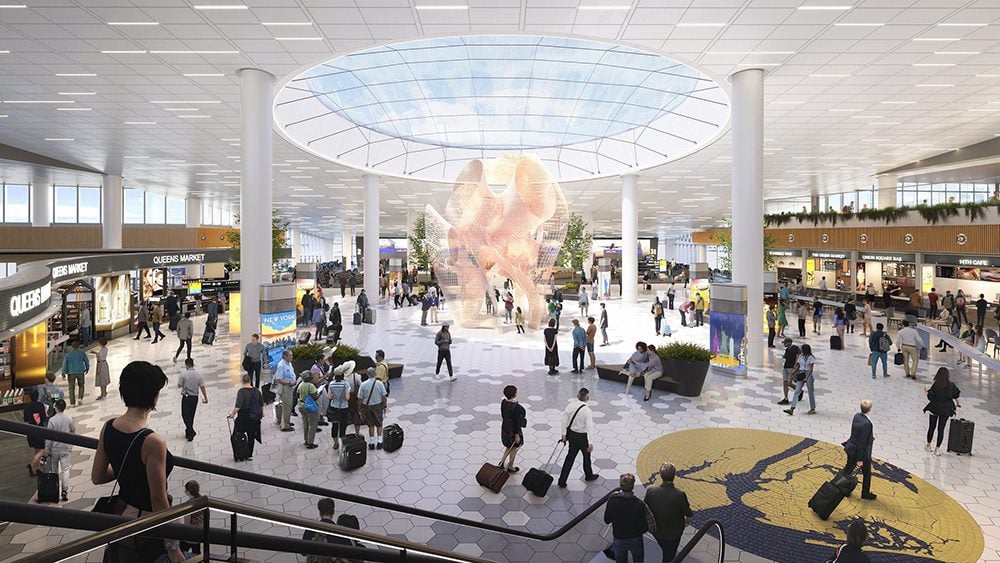
Like a massive eye in the sky, a large oculus skylight introduces daylight deep into the terminal.
I. Structural Engineering: The Headhouse and Long-Span Requirements
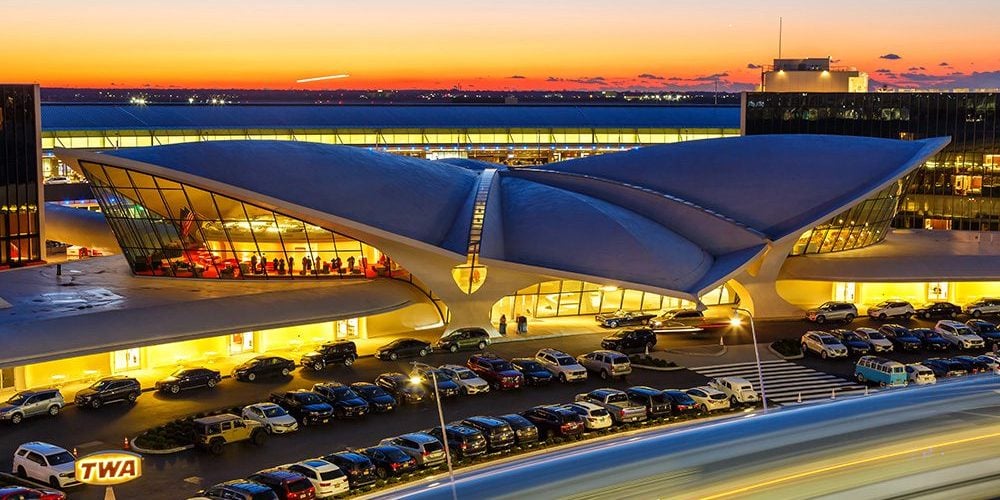
The terminal’s headhouse is intentionally monumental, drawing inspiration from the expressive forms of mid-century aviation architecture — most notably Eero Saarinen’s TWA Flight Center — while supporting the operational demands of a modern, high-volume international terminal.
1. The Dynamic Roof Structure
The defining architectural feature of Terminal 6 is its dramatic roof, characterized by sweeping, wing-like forms, soaring blades and diagonal rod elements. Translating this vision into a buildable structure required advanced structural engineering strategies.
- Long-Span Optimization: To deliver expansive, column-free interiors across the check-in hall and concourses, the structural system relies on optimized long-span steel framing. This approach improves passenger circulation, enhances sightlines and provides flexibility for future concession layouts — all while carefully balancing structural efficiency against the architectural demand for height and openness.
- The Cable-Supported Canopy: The terminal’s curbside arrival experience is defined by a bold, cable-supported entrance canopy spanning the entry bridges. The system creates a visually light, cantilevered form while transferring significant loads through high-strength cable assemblies. Extensive analysis was required to manage load paths, deflection and vibration, ultimately reducing material use without compromising performance or weather protection.
The pile-supported foundations are designed to perform within Long Island’s coastal soils.
- The Grand Oculus: At the center of the headhouse, like a massive eye in the sky, is a large oculus skylight that introduces daylight deep into the terminal. Structurally, this non-traditional opening demanded parametric modeling and precise integration between roof framing and vertical supports, ensuring smooth load transitions around the void without disrupting the roof’s overall performance.
2. Geotechnical and Site Constraints
Terminal 6 rises on the former sites of JFK’s Terminal 6 and Terminal 7 — a low-lying coastal location with complex subsurface conditions.
The superstructure totals approximately 18,000 tons of steel — equivalent to two mid-sized New York City skyscrapers.
- Challenging Subsurface Conditions: The structural solution relies on pile-supported foundations designed to perform within Long Island’s coastal soils. Engineers also had to account for remnants of previous terminal infrastructure left behind after demolition, adding another layer of complexity to foundation design and coordination.
- Resilience and Environmental Loads: As exposed coastal infrastructure, the terminal was designed to withstand significant wind forces and meet modern seismic criteria. The steel superstructure — totaling approximately 18,000 tons, equivalent to two mid-sized New York City skyscrapers — reflects the scale of these demands and the emphasis placed on long-term resilience and safety.
II. Master Systems Integration (MSI) and MEP Complexity
Beyond its structural expression, Terminal 6 is fundamentally a systems-driven building. The scale and interdependence of its mechanical, electrical, technological and operational systems necessitated a formal Master Systems Integration (MSI) approach.
- Arora Engineers led the mechanical, electrical and plumbing (MEP) design.
- Burns & McDonnell delivered advanced technology, security and IT infrastructure.
- Five Star Electric executed electrical wiring, airfield electrical systems and next-generation airport technologies.
1. All-Electric Ground Support Equipment (e-GSE) Infrastructure
Terminal 6 is among the first major U.S. terminals to fully integrate all-electric ground support equipment across its operations.
- Power and Charging Infrastructure: The electrical design of T6 supports charging for a pooled e-GSE fleet across all ten gates, requiring high-capacity transformers, robust distribution networks and careful load balancing. The system had to accommodate rapid charging demands without impacting the terminal’s core building loads.
- Decarbonization Strategy: This infrastructure directly supports the Port Authority of New York and New Jersey’s Net Zero Roadmap, which targets net-zero emissions by 2050. As a result, MEP systems were pushed to maximize efficiency, redundancy and long-term adaptability.
2. Low-Voltage Systems and Digital Integration
Delivering a “digital-first” passenger experience placed enormous demands on low-voltage and IT coordination — a key driver behind the project’s MSI framework.
- Integrated Technology Stack: Terminal 6 incorporates Common Use Systems such as the Airport Operational Database, Resource Management Systems, and Multi-User Flight Information Display Systems. These platforms support biometric processing from curb to gate, automated security lanes and next-generation TSA screening technologies.
- Infrastructure Cabling: The scale of secure fiber and copper backbone connectivity required careful planning, especially under fast-tracked design-build conditions. In several areas, construction realities necessitated rapid redesign — including shifts from below-grade to above-ground conduit solutions when subsurface conflicts emerged — highlighting the importance of flexibility and real-time coordination.
III. Sustainable and Phased Execution
Terminal 6 also serves as a model for delivering large-scale urban infrastructure with sustainability and speed in mind.
- LEED Gold and Envision Goals: The project targets both LEED Gold and Envision certification, driving the integration of more than 4,000 solar photovoltaic panels, high-efficiency lighting systems, advanced building automation, stormwater reclamation and aircraft de-icing fluid recovery systems.
- Fast-Tracked Phasing: Delivered in two phases — six gates opening in 2026, with full completion in 2028 — the project required continuous collaboration between design and construction teams. Early adoption of connected digital models and advanced workflows proved critical to maintaining the schedule while building adjacent to active taxiways and Terminal 5.
Ultimately, JFK’s new Terminal 6 stands as a testament to what today’s AEC industry can deliver: monumental architecture, deeply integrated systems and resilient infrastructure — all executed under intense site, operational and schedule constraints. As it begins to come online, starting in 2026, T6 is poised to reshape the New York travel experience and set a new benchmark for complex airport development.
