
CAD/BIM Tips & Tricks
Why Your CAD Standards Fall Apart (And How to Fix Them)
4 August 2026
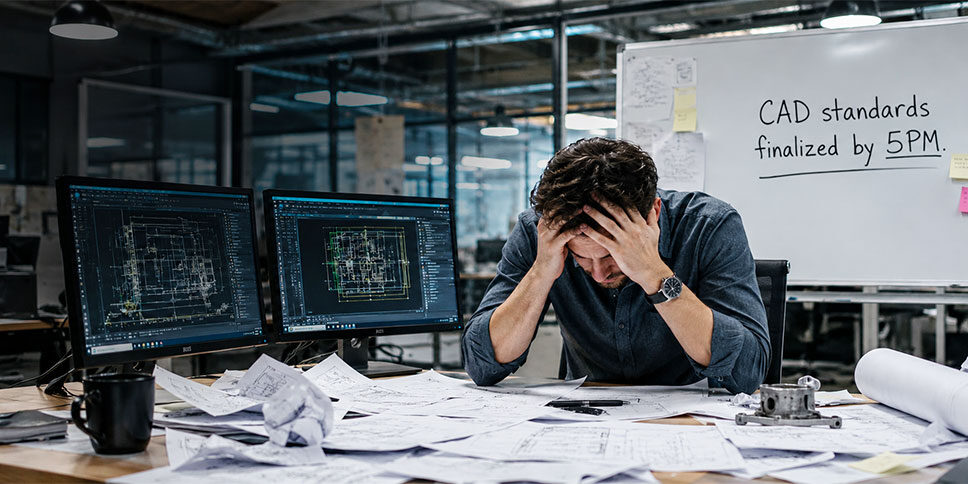
Every CAD manager has lived through the same story. A project begins with optimism. Standards are carefully defined. Levels are organized. Cell libraries are approved. Naming conventions are documented. Templates are distributed. The automation and AI tools are in place (if you have them). Everyone attends the kickoff meeting and agrees to follow the rules.
For a brief moment, it feels like order has been established. Then, slowly, reality creeps in.
The standards manual sitting on the shared drive bears little resemblance to what exists in the actual design files.
A consultant joins the project. A subcontractor submits files from a different office. Someone copies elements from an older project. A deadline approaches and shortcuts start appearing. Months later, the project team discovers that the standards manual sitting on the shared drive bears little resemblance to what exists in the actual design files. And if you’re using an AI tool, it won’t shut up about the issues it’s detected.
The standards may still be there in theory, but the drawings are telling a different story.
This cycle plays out every day in organizations using MicroStation®, OpenRoads™ Designer, OpenBridge™ Designer and similar platforms. The frustrating part is that most teams assume the problem is people, but it usually isn’t.
The real issue is that, despite the availability of AI tools and automation, CAD standards are often treated as something that should be remembered or manually enforced by individual contributors. The problem is that while human beings are remarkably creative, adaptable and resourceful, they’re not always good at infallibly performing endless quality-control inspections on thousands of design elements.
Automation and AI tools are making a big difference, but they lack the intent, context and liability that human oversight offers, so humans are still required.
Decay Is Natural, But …
The question isn’t whether standards will drift. The question is how quickly.
Think about any physical structure. A road requires maintenance. A bridge requires inspections. A building requires repairs. Without ongoing attention, even the best-designed structure gradually deteriorates.
CAD standards behave the same way. The question isn’t whether standards will drift. The question is how quickly.
A design environment isn’t static. Files move between teams. Projects evolve. Requirements change. New employees arrive. Legacy content reappears. Deliverables are exchanged with external organizations that follow completely different standards.
Every interaction creates an opportunity for inconsistency.
London’s Crossrail project is a textbook historical case of external CAD/BIM standard collision. Because hundreds of external contractors and designers used different software versions and modeling standards, compiling the massive dataset into a single centralized model resulted in massive coordination friction.
Crossrail had to enforce strict structural tracking protocols and establish a single, centralized asset management database. External contractors had to map their deliverables to a strictly unified asset identification standard. If a contractor’s file format or naming convention didn't match the project's precise schema, the system rejected the upload, forcing the contractor to manually fix the data to achieve compliance.
Any project can experience drifting standards. A level that should be named one way appears with a slightly different name. A cell is inserted from an outdated library. Text styles begin multiplying like rabbits. Elements appear on incorrect levels. Attributes no longer match company requirements.
None of these issues seem catastrophic when viewed individually, yet hundreds of small inconsistencies eventually create a project environment that can feel impossibly difficult to control.
Hundreds of small inconsistencies eventually create a project environment that can feel impossibly difficult to control.
Designers spend more time searching for information. Managers spend more time reviewing files. Quality assurance teams spend more time hunting for violations. Deadlines become harder to meet. The cost isn’t always obvious, but it quietly stacks up in the background.
Man Versus The Machine

An AI tool may know what is on a screen, but it rarely knows why. For instance, it might flag a non-standard linework override as a “violation” of company standards. However, a human designer knows that the specific override is a critical, one-off modification requested by a civil engineer to avoid a utility conflict. AI can enforce rigidity, but design often requires nuance. And that’s a human skill.
AI tools are only as good as the models and data fed into them. In practice, AI compliance checkers suffer from high rates of false positives or missed edge cases if a drawing deviates even slightly from standard drafting logic. Humans are still required to audit the audit, to filter out the noise to find the actual errors.
Ultimately, AI can’t stamp a set of construction documents or assume professional liability for a manufacturing defect. Because AI models in the design space are still prone to subtle “hallucinations” or logical gaps when interpreting unstructured spatial data, “human-in-the-loop” verification remains a legal and ethical necessity. And to speed that process, a purpose-built tool can make all the difference — with no hallucinations.
Automated Quality Assurance
SpecChecker™ makes life easier for everyone, with systematic standards enforcement. The larger the project, the more time it saves.
SpecChecker is designed specifically to identify standards violations across MicroStation-based environments. Instead of relying on users to manually inspect every file, let SpecChecker do the heavy lifting for you. It can discover, report and, in certain cases, even correct elements that don’t comply with established CAD standards.
This means that rather than conducting tedious manual inspections, SpecChecker can automatically ensure your designs meet every CAD standard, leaving teams free to focus on profitable design work.
The immediate reaction is often panic. Who is going to fix all of this?
The Challenge of Correcting Existing Problems
Many CAD managers encounter a discouraging reality after seeing the AI assessment or running an audit. Hundreds of files contain problems. Sometimes thousands.
The immediate reaction is often panic. Who’s going to fix all of this?
AI tools may successfully identify problems but generally lack a practical way to resolve them. The result is a growing backlog of known issues that simply becomes too large to easily manage.
When changes need to be applied across massive numbers of files, Global File Changer™ becomes an indispensable necessity. It enables users to make widespread modifications across multiple DGN files in a single operation. Tasks such as modifying properties or replacing cells can be performed across large file collections without manually editing each file individually.
Teams can confidently update and improve their environments when they know that changes can be implemented quickly and easily. Imagine AI having no standards issues to report. That sounds like a good day.
The Seldom-Recognized Problem: Corruption
There is, of course, another reason standards initiatives often fail. Sometimes the files themselves are compromised.
Corruption is sneaky. So sneaky, in fact, that it often remains hidden. We may see the symptoms, but don’t always know the cause. For example, a file may still open, elements may still appear on screen and the project may continue moving forward. Yet beneath the surface, hidden issues can interfere with standards enforcement, quality control and downstream workflows. The symptoms often don’t show up right away, but eventually they do.
The goal isn’t constant firefighting. The goal is control.
Symptoms may include files that behave unpredictably, elements that refuse to plot correctly, objects that become difficult to select, conversions that produce unexpected results and files that stubbornly refuse to open. And while some of these may sound contradictory, that’s the whole problem with corruption. It’s like Forrest Gump says: “You never know what you’re gonna get.”
Either way, these problems create noise and disruption within the project environment.
When teams are constantly dealing with file anomalies, standards compliance naturally becomes a lower priority. People focus on keeping projects moving. The deeper issues remain unresolved.
FileFixer™ automatically repairs a wide variety of symptoms in DGN files by diagnosing and fixing the underlying corruption. It can address files that won’t open, elements that misbehave and issues that affect plotting, conversions and overall file integrity.
Healthy files provide a stable foundation for standards enforcement. Without that foundation, even the best AI or standards program can struggle.
Building a Sustainable Standards Strategy
Tools like SpecChecker, Global File Changer and FileFixer support different parts of the standards process. Together, they help organizations move beyond reactive standards management and toward a more proactive approach.
The goal isn’t constant firefighting. The goal is control.
The Future of CAD Standards
As projects become larger and more interconnected, standards management only becomes more challenging.
Infrastructure projects now involve enormous volumes of data, multiple disciplines and geographically distributed teams. MicroStation, OpenRoads, OpenBridge and related workflows have increased both the opportunities and the intricacy involved in managing project information. In complex environments, standards enforcement can become increasingly difficult to maintain.
Automation has become a necessity.
The organizations that maintain strong standards aren’t necessarily the ones with the best AI tools or the strictest policies. They’re the ones that make compliance easy, detection automatic and correction efficient with purpose-built automation tools.
They understand a simple truth: Standards don’t fail because people stop caring. They fail because the systems designed to support those people sometimes aren’t strong enough.

When you want higher quality deliverables and perfect CAD standards, you need better systems and tools.
The result is greater confidence, fewer surprises, smoother project delivery and more time for the work that actually matters: designing, engineering and solving real-world problems.

Axiom's President
Oscar Albornoz
Feel free to share this article on your social media:
