Skip to content
Axiom
  • MicroStation
    • Products for MicroStation
      • Microsoft Office Importer™
      • MicroStation Productivity Toolkit™
      • MicroStation Acceleration Garage™
      • FileFixer™
      • Title Block Manager™
      • Translation Manager™
      • RefManager™
    • _______________
      • RasterDgn™
      • Global File Changer™
      • Custom Programming
      • DgnCompare™
      • RefMerge™
      • Duplicate Element Remover™
      • SpecChecker™
    • _______________
      • CellManager™
      • SpellCheckerPlus™
      • SpecManager™
  • Revit
    • Products for Revit
    • Microsoft Office Importer™
    • Family and View Studio™
    • Productivity Toolkit™
    • Revit Custom Programming
  • AutoCAD
    • Products for AutoCAD
    • Microsoft Office Importer™
    • Title Block Manager™
    • Translation Manager™
    • AutoCAD Productivity Toolkit™
    • AutoCAD Custom Programming
  • BricsCAD
    • Microsoft Office Importer™
  • Support
    • Support
    • FAQ
    • Knowledge Base
  • CAD/BIM Tips & Tricks
    • Articles
    • CAD/BIM Videos
    • Upcoming Events
    • Webinar Videos
    • Free Downloads
      • MicroStation Keyboard Shortcuts
      • Revit Keyboard Shortcuts
      • AutoCAD Keyboard Shortcuts
  • About Us
    • About
    • Contact Us
    • CAD/BIM Survey
    • Careers
  • Live Demo
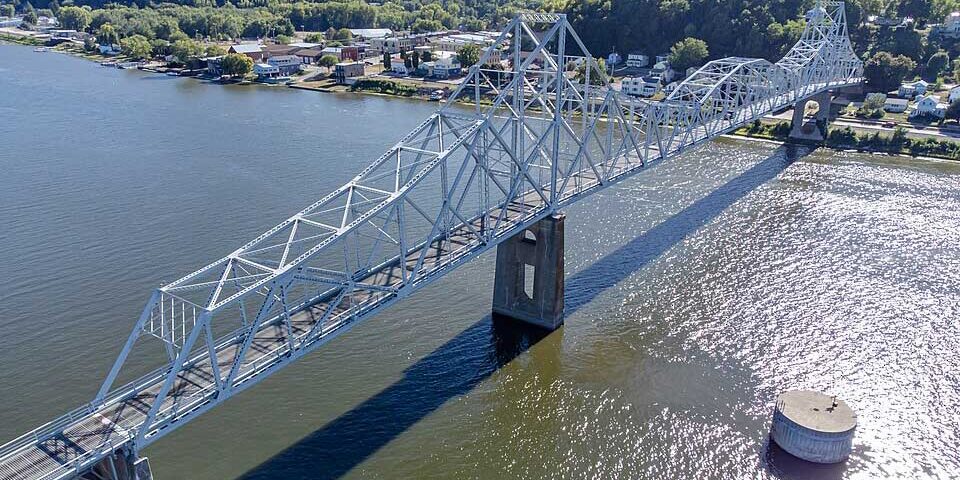
Lansing Iowa Bridge
Wikideas1: Creative Commons CC0 1.0 Universal Public Domain Dedication.

CAD/BIM Tips & Tricks

The Black Hawk Bridge: From Rendering to Rivets

Iowa’s Most Advanced Digital Delivery Project

27 May 2026

Share on Facebook
Share on Twitter
Share on Linkedin

Every bridge is built twice: once in data and once in steel. The Black Hawk Bridge project in Lansing, Iowa, is one of the first full-scale uses of digital twin technology in U.S. bridge construction, where a fully coordinated 3D model served as the single source of truth across design, construction and long-term operations. Here’s what that looked like in practice.

A few miles north of the 43rd parallel, two rural communities, Lansing, Iowa and De Soto, Wisconsin, with a combined population of around 1,400 souls, have been connected for almost a hundred years by the Black Hawk Bridge, the only river crossing within 30 miles in either direction.

This is Iowa DOT’s first full-scale digital bridge delivery.

The winters can be brutal, with sub-zero temperatures not uncommon. The mighty Mississippi River freezes, the snow piles up and the bridge has always formed the lifeline between these two small river towns, only one of which has a medical clinic.

It sounds picturesque, inhabited by the hardy folks that occupy the areas around the Great Lakes, living in quaint, historic homes. But then modern reality caught up, which it inevitably does, and the bridge, sadly, succumbed to the pressures of the modern era.

Reality Bites

The original Black Hawk Bridge was a riveted cantilever through-truss that had been quietly doing its job since 1931, connecting Iowa Highway 9 to Wisconsin Highway 82 over the Upper Mississippi River and handling 2,100 vehicles a day.

Then, federal inspections rated the structure as deficient. Its deck spanned a mere 21 feet with zero shoulders, which, as anyone who has white-knuckled a crossing when a semi appears from the other direction can confirm, was genuinely nerve-wracking.

Tony Webster from Portland, Oregon: Creative Commons Attribution-Share Alike 2.0 Generic license.
The Mississippi River crossing in winter.

At 650 feet, the river’s navigation channel was tight enough that barges periodically tapped the piers. And so, after feasibility studies stretching back to 2004, the Iowa Department of Transportation (DOT) and Wisconsin DOT committed to a $140 million replacement.

What followed is a story AEC professionals should pay close attention to, not just because of the engineering achievement, but because of what the project quietly became: Iowa DOT’s first full-scale digital bridge delivery.

A Beloved Icon Gets a Digital Rebirth

The demolition on December 19, 2025, was dramatic. Controlled explosives brought down the historic superstructure, the steel splashing into the Mississippi in a live-streamed moment that the town of Lansing will mark for generations.

By that point, a new bridge was already rising right next door. Kraemer North America, headquartered in Plain, Wisconsin, had broken ground in November 2023 and construction of the 1,724-foot replacement, nearly twice as wide as its predecessor at 40 feet total, was well underway.
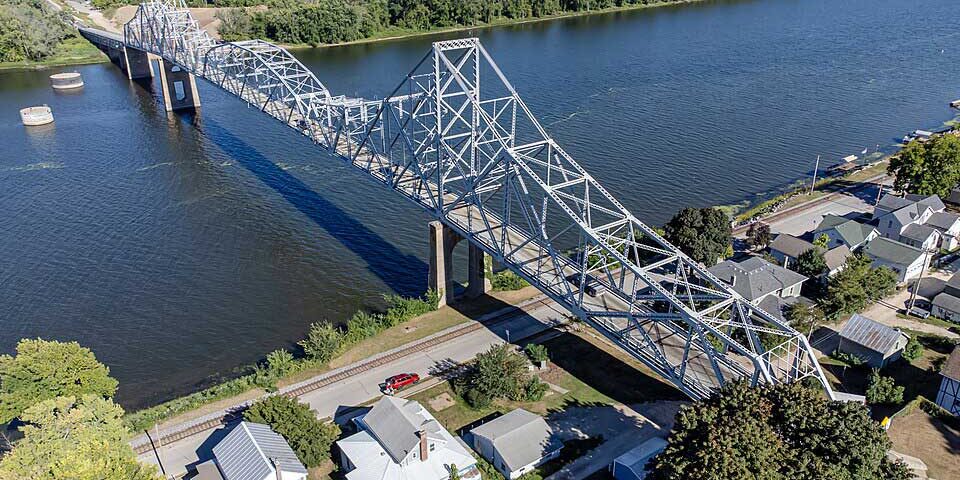
Wikideas1: Creative Commons CC0 1.0 Universal Public Domain Dedication.
The Lansing, Iowa, side of the bridge.

Visually, the new bridge was designed to honor the old one. During public outreach, the Iowa DOT made clear that the community’s attachment to the original structure would not be ignored. The superstructure for the new crossing was deliberately styled to echo the silhouette that locals had grown up with, preserving the character of that cantilever profile against the Mississippi River valley skyline.

The navigation channel, as part of the project, got a meaningful upgrade from about 650 to 750 feet, giving barge traffic considerably more room to breathe.

This is a project rooted in respect for its place both in local history and the landscape. But what makes it a landmark for the AEC industry has less to do with the steel and more to do with the data beneath it.

The Tech Stack

Engineering firm Foth Infrastructure & Environment and Parsons Corporation for the Iowa DOT used a suite of Bentley Systems® software, such as OpenBridge Modeler®, OpenRoads Designer®, and ProStructures® for 3D modeling. ProjectWise® managed the digital twin, and iTwin technology was used to publish the 3D BIM model.

A three-dimensional model served as the shared digital foundation for every discipline on the project.

This comprehensive 3D model served as the shared digital foundation for every discipline on the project with structural engineers, fabricators, contractors, inspectors and agency staff all working from the same coordinated information environment.

This was not a model that lived on someone’s workstation and got emailed around. According to Foth’s project documentation, the model was hosted on a cloud-based platform, meaning designers in one state and fabricators in another could access current, coordinated data through a web browser without needing specialized software. It’s the kind of workflow that sounds obvious in 2025 and yet, in practice, still separates genuinely mature digital delivery programs from projects that simply rely on accessing someone’s 3D file, stored somewhere.

The model captured every nut and bolt, every connection, all the structural steel, reinforcements and foundations at a high level of detail, making it possible to visualize construction sequencing for a project with genuinely complex geometry: a long-span truss being built in stages over a live navigable river, with a car ferry running nearby and barge traffic requiring careful coordination throughout.

When your construction sequence involves floating a central steel truss on a barge, positioning it mid-river and lifting it into place with hydraulic jacks, having a model that lets every stakeholder see exactly what is supposed to happen, and when, is not a luxury. It’s how you avoid expensive and unwanted surprises.

Quantifying What Digital Delivery Actually Does

How about some numbers that are worth lingering over?

Foth’s documentation reports that the model-based delivery contributed to an estimated 1.5-month schedule reduction and approximately $3.2 million in cost savings, driven by early conflict resolution and improved construction analysis. That kind of impact is difficult to ignore.

Think about what that means at the project level. A 6-week schedule reduction on a $140 million river bridge is not just a line-item improvement. It is weeks of reduced ferry operation costs, weeks of compressed risk exposure on a live construction site over a navigable waterway, and weeks of earlier economic connectivity for two small communities whose primary river crossing is currently a ferry running 16 hours a day.

For a rural community, that matters in ways that are hard to quantify on a cost-benefit spreadsheet.

The up-front investment pays dividends long after the last bolt is torqued.

Clayton Burke, Iowa DOT’s project manager for the crossing, has been quoted reflecting on the power of the model in the overall construction process, noting that the degree to which the model shaped and guided the project went beyond what the team initially anticipated. That kind of honest reflection is worth noting. DOTs aren’t often the first to admit when a technology exceeds their expectations, which makes the candor here more meaningful.

The Twin That Keeps Working After the Ribbon Cutting

Here’s the part of the story that most project announcements bury in the final paragraph, if they mention it at all: The model doesn’t stop being useful when construction ends.

Iowa DOT has indicated that the digital twin will continue to monitor the bridge throughout its operational life, facilitating inspections, access planning and asset management. In practical terms, this means that when an inspector needs to document a finding on a specific truss connection in 2035, he doesn’t have to go back to a set of drawings from 2024.

It may no longer be enough to rely merely on a 3D model …

The geometry, component data and inspection history can live in the same environment, updating over time, building a record that reduces the knowledge gap that typically plagues long-term infrastructure management.

This is the actual promise of a digital twin for infrastructure. It’s not a flashy visualization of a finished bridge. It’s a living model that carries the building’s story forward, reduces the cost of ongoing stewardship and keeps the people responsible for the structure informed in ways that would otherwise require significant manual effort.

For bridge owners and state DOTs watching what Iowa is doing here, the message is clear: The model you build during design and construction is also the model with which you maintain the asset. The up-front investment in data quality, model coordination and cloud accessibility pays dividends long after the last bolt is torqued.

What the AEC Industry Should Take from Lansing

There is a tendency to treat digital delivery as something that applies primarily to megaprojects: the high-speed rail corridors, the offshore platforms, the 20-year urban redevelopment programs. The 1,400 souls in Lansing and De Soto would argue otherwise.

This was not a simple project. Building a truss bridge over a major navigable river, with pile foundations drilled 80 to 120 feet into the riverbed to reach bedrock, while an aging and increasingly unstable structure sits right next to the construction zone? Coordinating with the Army Corps of Engineers and U.S. Fish and Wildlife Service, while spring flooding takes a month of your schedule away from you? And a regional community that depends on the only crossing within a half-hour drive? This is a project defined by real complexity at every turn.

The digital delivery framework didn’t eliminate that complexity, but it gave every team member better information, faster, with fewer gaps and fewer expensive late-stage surprises. That’s a story that favorably scales to almost any project of consequence, which is almost every project.

For AEC firms looking at where digital delivery is headed, the new bridge also illustrates how the use of technology is evolving.

This is what it looks like when digital delivery works.

In many cases, it may no longer be enough to rely merely on a 3D model. The value emerges when that model is connected to real-time coordination workflows, cloud-accessible to every project stakeholder, integrated with issue tracking and construction analysis, and designed from day one to support the asset’s entire operational life, not just its construction phase.

A Bridge Built for the Next Century

The new Mississippi River Bridge at Lansing (which locals are expected to refer to either as the new Black Hawk Bridge or the Lansing Bridge) is scheduled to open in 2027, with single-lane access targeted for the spring of that year.

When it opens, it will carry two 12-foot driving lanes and 8-foot shoulders across a span designed to look like the crossing locals grew up loving, while performing in ways the original could never have managed. And no more white-knuckle crossings.
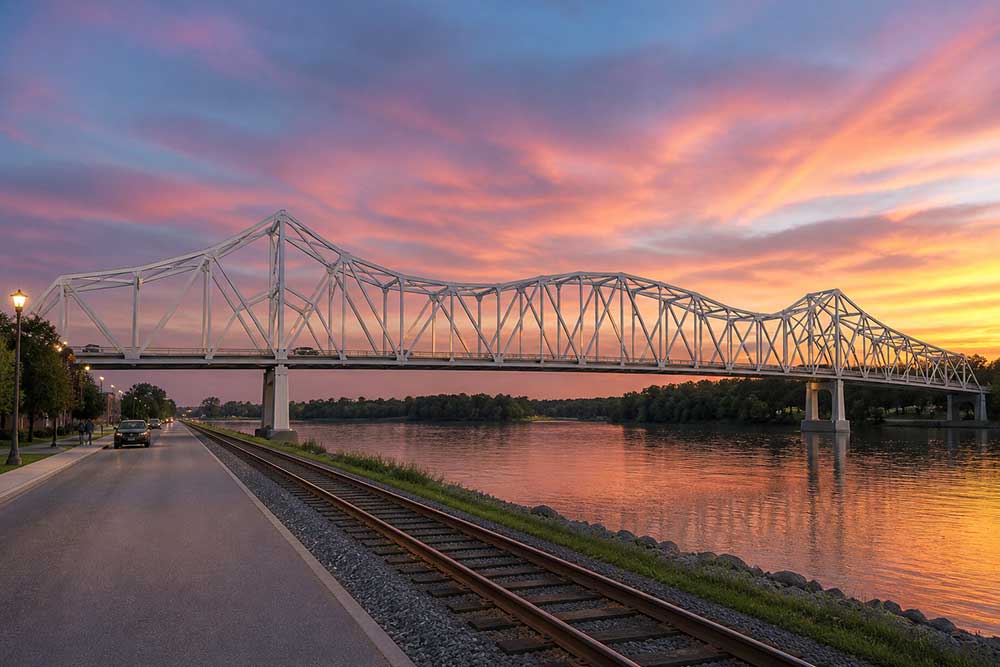
The-NEW-Black-Hawk-Bridge
An AI- generated rendering of how the completed bridge might look.

The residents of Lansing are already planning to salvage material from the old bridge for keepsakes and a community tribute. It is hard not to admire that fondness.

The Black Hawk Bridge earned its place in the landscape of northeastern Iowa over 94 years of service. But the project that replaces it has earned something different: a place in the story of how the modern AEC industry builds smarter.

Iowa DOT’s first digital bridge delivery didn’t just produce a better-coordinated project. It demonstrated a result that other owners and engineering teams can look at and say: This is what it looks like when digital delivery works.

And that is a legacy worth building on, one winning model at a time.

If you’re looking for ways to save time, improve accuracy and smooth workflows, Axiom specializes in tools for MicroStation®, Revit®, AutoCAD® and BricsCAD®. Chat with us online or call 727-442-7774 to speak to a Service Consultant about your particular project needs.

Tools to solve your MicroStation problems: View products
Import Excel spreadsheets and Word documents to MicroStation or AutoCAD with perfect formatiing

AXIOM

Axiom provides powerful software that helps thousands of engineers, architects, designers, project leaders, CAD managers and CAD/BIM users all over the globe.

POPULAR PRODUCTS

Microsoft Office Importer™
MicroStation Productivity Toolkit™
MicroStation Acceleration Garage™
FileFixer™
Title Block Manager™
Translation Manager™
Products for MicroStation
Products for Revit
Products for AutoCAD

CONNECT WITH US

1805 Drew St
Clearwater, FL 33765
Phone: 727-442-7774
E-mail: InfoMail@AxiomInt.com

“Facebook” “Twitter” “LinkedIn” “LinkedIn”

TrustPilot-Axiom
Copyright © 2017–2026 Axiom Services, Inc. and IntelliProp LLC.  All Rights Reserved.  Axiom, CellManager, DgnCompare, Duplicate Element Remover, FileFixer, Global File Changer, Office Importer, Productivity Toolkit, RasterDgn, RefManager, RefMerge, SpecManager, SpellCheckerPlus, Title Block Manager, Translation Manager and Family Studio are trademarks of IntelliProp. Revit and AutoCAD are registered trademarks of Autodesk‚ Inc. MicroStation is a registered trademark of Bentley Systems, Inc. Microsoft is a registered trademark of Microsoft Corporation. Other trademarks are held by their respective owners. Not responsible for inadvertent errors.
Privacy Policy | Sitemap

Microsoft Office Importer for BriscCAD Free Trial

Tools That Save Time and Increase Productivity

  • Easily spread imports of huge Excel spreadsheets or Word docs into multiple columns in your DWG files.
  • Keep your imported data linked & synced to the source files.
  • Enjoy complete control over your CAD standards, including color, weight, style, text size, font, and more.

To find out more, fill out the form, call us at 727-442-7774 or email us at InfoMail@AxiomInt.com

"*" indicates required fields

Name*
This field is hidden when viewing the form

We hate spam. We don’t sell e-mail addresses.

Partners

Microsoft Office Importer for AutoCAD Free Trial

Tools That Save Time and Increase Productivity

  • Easily spread imports of huge Excel spreadsheets or Word docs into multiple columns in your DWG files.
  • Keep your imported data linked & synced to the source files.
  • Enjoy complete control over your CAD standards, including color, weight, style, text size, font, and more.

To find out more, fill out the form, call us at 727-442-7774 or email us at InfoMail@AxiomInt.com

"*" indicates required fields

Name*
This field is hidden when viewing the form

We hate spam. We don’t sell e-mail addresses.

Partners

Game-Changing Protection

LinkFixer Advanced™   for Revit is a lifesaver. Why? When your project file references are moved or renamed, those linked files (such as rvt, dwg or dwf) will no longer be found. LinkFixer Advanced will protect your files from this catastrophe with patented file immunization technology.

A Word About Links

Got missing reference attachments? Here’s a brief explanation:

Files often contain links. We generally refer to these files as the parent files. The links point to other files which we call child files. In the case of CAD/BIM files, this is how other files are “referenced” to a main project file.

When the child files are moved or renamed, the links in the parent files break. This indicates that the child file is no longer located where the parent file link is pointing or it means the link in the parent file is looking for the old filename of a renamed child file and, of course, not finding it. Either way, your references will be missing and it’s annoying and frustrating to deal with when it happens to you and you’re left staring helplessly at the typical error message displayed on your screen.

LinkFixer Advanced, however, is the fast, modern way to protect, move and repair links in the following situations:

  • If you have good, working links (references) you’d like to protect in case the files are moved or renamed, use the Inoculate and Cure tool. This is your safety net. Consider this: The novice in your IT department decides to do a mini migration on the weekend. You come in Monday and poof! — your references are missing. Inconvenient? Yes. Catastrophic? Not a chance. Run LinkFixer Advanced on your pre-treated files and watch your missing references appear like magic.
  • If you need to move or rename files and you would prefer that the embedded links don’t break, use the Move/Rename tool. You know those clients you have to wait on hand and foot? The ones that have a different drive and file structure you have to use at submittal time? The Move/Rename feature will allow you to serve the high and mighty with little effort by allowing you to accommodate their needs and still smartly retain their reference file linkages with no additional effort on your part.
  • If you’ve got files that contain broken links (causing the resulting missing data), and you need to repair those links (and restore the data), use the Modify Links tool. It’s not uncommon to have a folder or two renamed. The client’s name changes, the project name changes, the boss is a lunatic, the reasons are endless. Simple yet sophisticated rule-writing allows you to execute a simple string change to fix all of the links in your chosen file set.

Nothing can restore a link if the file has been permanently deleted, but for all your other link requirements in your project files, LinkFixer Advanced has you covered.

A Word About Links

Got missing reference attachments? Here’s a brief explanation:

Files often contain links. We generally refer to these files as the parent files. The links point to other files, which we call child files.

When the child files are moved or renamed, the links in the parent files appear to break. This simply indicates that the child file is no longer located where the parent file link is pointing, but it’s annoying and frustrating to deal with when it happens to you and you’re left staring helplessly at the typical error message displayed on your screen.

LinkFixer Advanced, however, is the fast, modern way to protect, move and repair links in the following situations:

  • If you have good, working links you’d like to protect in case the files are moved or renamed, use the Inoculate and Cure tool.
  • If you need to move or rename files and would prefer that the embedded links don’t break, use the Move/Rename tool.
  • If you’ve got files that contain broken links (causing the resulting missing data), and you need to repair those links (and restore the data), use the Modify Links tool.

Nothing can restore a link if the file has been permanently deleted, but for all your other link requirements in your project files, LinkFixer Advanced has you covered.

AutoCAD Productivity Toolkit Free Demo

  • Impeccable imports that are beautifully formatted and look exactly like the originals.
  • Accurate, up-to-date title blocks, at the push of a button.
  • Time-savings and improved productivity, with the ability to safely move or rename AutoCAD files without fear of disappearing references (despite your users’ best efforts).

To find out more, fill out the form, call us at 727-442-7774 or email us at InfoMail@AxiomInt.com

  • This field is for validation purposes and should be left unchanged.
  • This field is hidden when viewing the form
  • This field is hidden when viewing the form
  • This field is hidden when viewing the form
  • This field is hidden when viewing the form

We hate spam. We don’t sell e-mail addresses.

Partners

Title Block Manager  Free Demo

Achieve title block consistency automatically.

Title Block Manager™ will:

  • Quickly and easily renumber all of your sheets for you using one Excel spreadsheet. Say goodbye to the stress of last-minute sheet-number changes.
  • Save you hours you’d typically spend manually editing your title blocks.
  • Keep your title blocks up-to-date, with a push of a button.

To find out more, fill out the form, call us at 727-442-7774 or email us at InfoMail@AxiomInt.com

  • This field is for validation purposes and should be left unchanged.
  • This field is hidden when viewing the form
  • This field is hidden when viewing the form
  • This field is hidden when viewing the form
  • This field is hidden when viewing the form

We hate spam. We don’t sell e-mail addresses.

Partners

Axiom Maintenance Plus Includes:

  • Free product updates.
  • Free technical support.
  • Free license support (such as when computer-IDs change).
  • Free user training, via the Internet, on maintained products.
  • Free customization of maintained products.
  • Discounts on comparable products for different versions of Microstation or AutoCAD.

To find out more, fill out the form, call us at 727-442-7774 or email us at InfoMail@AxiomInt.com

  • This field is for validation purposes and should be left unchanged.
  • This field is hidden when viewing the form
  • This field is hidden when viewing the form
  • This field is hidden when viewing the form
  • This field is hidden when viewing the form

We hate spam. We don’t sell e-mail addresses.

Partners

Productivity Toolkit  for Revit

  • Have editable, searchable Word imports in a snap.
  • Word and Excel columns can be easily moved while maintaining formatting and link integrity.
  • Have your imports automatically update when source files change.
  • Have an easier time searching for families.
  • You’ll have expanded search capabilities that easily find exactly what you’re looking for.
  • You won’t have to exit the search function to verify that you’ve selected the correct family.

To find out more, fill out the form, call us at 727-442-7774 or email us at InfoMail@AxiomInt.com

  • This field is for validation purposes and should be left unchanged.
  • This field is hidden when viewing the form
  • This field is hidden when viewing the form
  • This field is hidden when viewing the form
  • This field is hidden when viewing the form

We hate spam. We don’t sell e-mail addresses.

Partners

Microsoft Office Importer  Free Trial Version

Tools That Save Time and Increase Productivity

  • Microsoft Office Importer™  saves you valuable time by automatically managing the hundred little things that have to go right.
  • Microsoft Office Importer eliminates double-work. No more manual data entry and formatting of information that’s already in Excel or Word files.
  • Microsoft Office Importer leaves you in control. You don’t have to sacrifice your standards to achieve fast, top-quality results in record time. Finally get the recognition you deserve.

To find out more, fill out the form, call us at 727-442-7774 or email us at InfoMail@AxiomInt.com

  • This field is for validation purposes and should be left unchanged.
  • This field is hidden when viewing the form
  • This field is hidden when viewing the form
  • This field is hidden when viewing the form
  • This field is hidden when viewing the form

We hate spam. We don’t sell e-mail addresses.

Partners

Microsoft Office Importer for AutoCAD Free Trial

Tools That Save Time and Increase Productivity

  • Easily spread imports of huge Excel spreadsheets or Word docs into multiple columns in your DWG files.
  • Keep your imported data linked & synced to the source files.
  • Enjoy complete control over your CAD standards, including color, weight, style, text size, font, and more.

To find out more, fill out the form, call us at 727-442-7774 or email us at InfoMail@AxiomInt.com

  • This field is for validation purposes and should be left unchanged.
  • This field is hidden when viewing the form
  • This field is hidden when viewing the form
  • This field is hidden when viewing the form
  • This field is hidden when viewing the form

"*" indicates required fields

Name*
This field is hidden when viewing the form

We hate spam. We don’t sell e-mail addresses.

Partners

MicroStation Acceleration Garage Demo

Got MicroStation problems? There’s a tool for that.

  • Experienced trouble when trying to paste Excel spreadsheets or Word documents into MicroStation?
  • Suffered through finding and reattaching a bunch of missing references or had to change the reference settings in more files than you care to remember?
  • Received an error message when trying to open a DGN file or had a file that wouldn’t open at all?
  • Needed to replace text or modify the properties of text elements in multiple DGN files?
  • Encountered some other MicroStation-related problem?

To find out more, fill out the form, call us at 727-442-7774 or email us at InfoMail@AxiomInt.com

  • This field is for validation purposes and should be left unchanged.
  • This field is hidden when viewing the form
  • This field is hidden when viewing the form
  • This field is hidden when viewing the form
  • This field is hidden when viewing the form

We hate spam. We don’t sell e-mail addresses.

Partners

MicroStation Productivity Toolkit Demo

Got MicroStation® problems? There’s a tool for that.

  • Experienced trouble when trying to paste Excel® spreadsheets or Word® documents into MicroStation?
  • Suffered through finding and reattaching a bunch of missing references or had to change the reference settings in more files than you care to remember?
  • Received an error message when trying to open a DGN file or had a file that wouldn’t open at all?
  • Needed to replace text or modify the properties of text elements in multiple DGN files?
  • Encountered some other MicroStation-related problem?

To find out more, fill out the form, call us at 727-442-7774 or email us at InfoMail@AxiomInt.com

  • This field is for validation purposes and should be left unchanged.
  • This field is hidden when viewing the form
  • This field is hidden when viewing the form
  • This field is hidden when viewing the form
  • This field is hidden when viewing the form

We hate spam. We don’t sell e-mail addresses.

Partners

Microsoft Office Importer for Revit Free Trial Version

  • Paste your Word notes into Revit instead of re-typing them.
  • Move Word and Excel columns around while maintaining formatting and link integrity.
  • Automatically update your imports from the source file.
  • Precision text-size mapping.
  • Paste multipage PDFs into Revit, all at once.
  • Control the scale of PDF pages as you are pasting

To find out more, fill out the form, call us at 727-442-7774 or email us at InfoMail@AxiomInt.com

  • This field is for validation purposes and should be left unchanged.
  • This field is hidden when viewing the form
  • This field is hidden when viewing the form
  • This field is hidden when viewing the form
  • This field is hidden when viewing the form

We hate spam. We don’t sell e-mail addresses.

Partners

FileFixer™ Free Demo Request

Fix any MicroStation® file automatically, including:

  • DGN files that produce error messages when opened.
  • Design files that won’t open at all. Elements that misbehave.
  • Elements that won’t plot the same way they appear on your monitor.
  • DGN files that covert incorrectly to AutoCAD or other file types.
  • Elements you can’t select or delete.
  • Elements not on a defined level.

To find out more, fill out the form, call us at 727-442-7774 or email us at InfoMail@AxiomInt.com

  • This field is for validation purposes and should be left unchanged.
  • This field is hidden when viewing the form
  • This field is hidden when viewing the form
  • This field is hidden when viewing the form
  • This field is hidden when viewing the form

We hate spam. We don’t sell e-mail addresses.

Partners

Family and View Studio:

The Key to Drama-Free Revit Families and Views

A free trial may be helpful to you if you want:

  • To have working with families and views made much easier and more intuitive to save you a boatload of time.
  • To use the powerful and focused search capabilities to find families and views outside of your active Revit project and easily load them.
  • To see large thumbnails of views to easily determine which is the one you want.
  • To easily place a view in your project.

To find out more, fill out the form, call us at 727-442-7774 or email us at InfoMail@AxiomInt.com

  • This field is for validation purposes and should be left unchanged.
  • This field is hidden when viewing the form
  • This field is hidden when viewing the form
  • This field is hidden when viewing the form
  • This field is hidden when viewing the form

We hate spam. We don’t sell e-mail addresses.

Partners